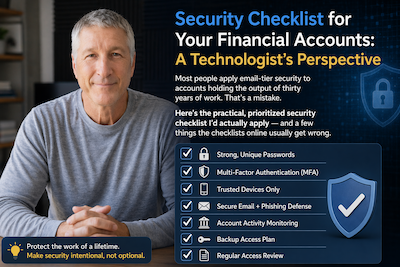
I've spent 40+ years in enterprise IT. When I look at how most people secure their financial accounts, I see the same pattern that got enterprise systems compromised for most of my career: layered convenience beats layered security, a weak link somewhere bypasses all the strong ones, and the attacker only has to be right once.
The stakes on a brokerage or retirement account are higher than on almost any other account you own. A compromised email is a recoverable embarrassment. A compromised $500,000 IRA is, in many cases, a permanent loss — the regulatory framework for reversing fraudulent transfers out of investment accounts is meaningfully worse than it is for credit-card chargebacks, and the attacker usually has 24–72 hours to move the funds before you notice.
This post is the practical, prioritized checklist I'd actually apply. I've ordered it by leverage — the highest-impact moves first. If you only have an hour to spend on this, the first three items are where I'd spend it.
1. Use a password manager, and stop reusing passwords
This is the single highest-leverage change almost anyone can make. Password reuse is how credential-stuffing attacks work: an attacker takes leaked credentials from a decade-old forum breach and tries them against your brokerage login. If you've ever used the same password twice across sites, assume at least one version is already in a credential database being rented to attackers on Telegram for $20.
The fix is a password manager. Use 1Password, Bitwarden, or your operating system's built-in manager (iCloud Keychain, Chrome Password Manager, Windows Credential Manager). Any of them is dramatically better than reusing passwords. I personally prefer 1Password for the cross-platform sync and the audit features that surface reused or weak passwords.
Generate a unique, long password (20+ characters, fully random) for every financial account. Yes, every one. Yes, including the ones you barely use — those are the ones attackers find first.
One caveat: the password manager itself needs a strong master password and its own 2FA (see next section). Don't make the master password something you've used elsewhere. Don't store the master password in the password manager.
2. Turn on two-factor authentication — but pick the right kind
2FA is not one thing. There's a hierarchy, and the difference between the top and bottom of the hierarchy is enormous.
Best: Hardware security keys (FIDO2 / WebAuthn). A physical device — Yubikey, Google Titan, or similar — that you plug in or tap to prove you have it. This is phishing-proof in the strong sense: even if an attacker sends you a convincing fake login page that you enter your password into, the hardware key validates the actual domain and refuses to authenticate against the phishing site. I use hardware keys on every financial account that supports them.
Good: Authenticator apps (TOTP). Apps like Authy, Google Authenticator, or 1Password's built-in TOTP feature. They generate a rotating 6-digit code every 30 seconds. Not phishing-proof — a good phishing page will capture your code too — but they stop credential-stuffing attacks and most casual takeover attempts cold.
Acceptable only if nothing better is available: Email-based 2FA. An email sent to a code. Weak because it centralizes your account security on the email account. Better than nothing.
Avoid if you can: SMS 2FA. A code texted to your phone number. This is vulnerable to SIM swapping (see next section). Unfortunately, many older brokerages still only offer SMS. If that's your option, use it, but add the SIM-swap defenses below. And ask your brokerage when they plan to support better 2FA — customer pressure moves this faster than you'd think.
Enable 2FA everywhere it's offered: brokerage, bank, 401(k), IRA custodian, email account, password manager, and every financial planning tool. If one account is weak, that's the one the attacker takes.
3. Defend against SIM swapping
If your brokerage uses SMS 2FA, or your account-recovery process sends codes to your phone, your phone number is effectively the master key. SIM swapping is when an attacker convinces your mobile carrier to transfer your number to a SIM card they control. It's happened to thousands of people — including several high-profile cases where multimillion-dollar crypto accounts were drained within an hour of the swap.
The good news: every major US carrier now offers protection. The bad news: it isn't the default.
Call your carrier and ask for:
- A port-out PIN (Verizon, AT&T) or account PIN (T-Mobile) — a separate code required before any SIM change or number port. Make it different from any other PIN you use.
- Account security lock / port freeze if your carrier offers it. T-Mobile has "Account Takeover Protection"; Verizon has "Number Lock"; AT&T has "Wireless Account Lock." All of these require an extra step before a number can be moved.
- Confirm that the port-out PIN is required in person or in writing, not bypassable by a social-engineering phone call. Several carriers used to let customers bypass PIN protections over the phone with a sob story; the policies have tightened but are not uniformly enforced.
If you have substantial assets and the option to do so, consider using a carrier or service specifically designed to resist social engineering (Efani is one US option) for your financial-recovery phone number. For most people, carrier-level PIN protection is sufficient.
4. Freeze your credit at all four bureaus
A credit freeze prevents new accounts from being opened in your name. It's free at all four bureaus and takes about 15 minutes total. Most checklists list three bureaus; the correct number is four:
- Equifax
- Experian
- TransUnion
- Innovis (the one most people miss — lenders use it too)
You don't need to pay a monitoring service; the free freeze does the important work. You can lift the freeze temporarily when you need to apply for credit yourself.
Why this matters for investment accounts: identity theft attackers often use stolen credentials to open new brokerage or retirement accounts in your name, then pull money from your existing accounts into the new fraudulent ones. A credit freeze breaks that chain.
5. Tighten the email account protecting everything else
Most of your financial accounts recover their passwords through your primary email. If an attacker owns your email, they own everything downstream. Treat your email like a financial account itself:
- Unique, long password (from your password manager).
- Hardware-key 2FA if available. Gmail, Outlook, and most enterprise email providers support it.
- Review and prune old devices with session access. Log out everything you don't recognize.
- Consider a separate email address used only for financial accounts, not shared with public-facing contact forms or subscriptions. This compartmentalizes your exposure — if your publicly-known email gets targeted, the financial email is still clean.
- Turn on login alerts so you get a notification when your email is accessed from a new device.
If your primary email has been in any major breach (check haveibeenpwned.com — enter your email, not your password), assume the account has been targeted and harden it aggressively.
6. Recognize the phishing patterns that target financial accounts
Phishing has evolved. The generic "Your account has been suspended" email is old news. What you're actually more likely to see:
- Voice phishing (vishing): An attacker calls pretending to be from your brokerage's fraud department, claims there's a suspicious transaction, walks you through "verifying" your identity — which involves reading them a code you just received. The code is the 2FA code they're using to log in.
- Advisor impersonation: An email that looks like it's from your actual advisor, with correct names and references, often sent after a legitimate conversation. Asks you to wire funds, change your address, or "verify" your login.
- Urgency + familiarity: The most effective phishing combines a believable sender with a time-pressured request. "Action required within 24 hours or your account will be restricted."
The rule that beats all of these: never act on an inbound request. If your bank, brokerage, or advisor needs you to do something, log in to the official site (typed URL, not clicked link) or call them back at the number on their website (not the number in the email). Even if the message looks correct. Especially if the message looks correct.
7. Device and browser hygiene
The basics still matter:
- Keep your operating system and browser current. Most real-world account takeovers exploit software that's months or years behind on patches.
- Use a modern browser (Chrome, Edge, Firefox, Safari) with sandboxing and automatic updates.
- Enable full-disk encryption — FileVault on macOS, BitLocker on Windows. Both are built in; both add strong protection if your laptop is stolen.
- Use a screen lock with a strong passcode (not just "1234"). Biometric unlock (Face ID, fingerprint) is fine and arguably more secure than a short numeric PIN.
- Avoid public Wi-Fi for logging into financial accounts. If you must, use a reputable VPN (Mullvad, ProtonVPN). The risk isn't theoretical — I've seen working proof-of-concept tooling that captures session tokens on open Wi-Fi.
On browsers specifically: be cautious about extensions. Browser extensions run with extensive permissions, and compromised extensions have been used to exfiltrate session cookies from financial sites. Audit what you have installed. Keep only extensions from known publishers.
8. Monitor the accounts you care about
Set up alerts for every financial account:
- Transaction alerts on every withdrawal, transfer, or trade. Most brokerages let you configure these by dollar threshold or category. I set mine at $0 — I want to know about every movement.
- Login alerts from new devices or IPs.
- Statement delivery to your email (or via the institution's secure messaging) so you see them when they arrive, not six weeks later.
You don't need a credit-monitoring service that charges $20/month. You need the free alerts your brokerage already offers, turned on, delivered to an email address you actually check.
9. Ask your advisor about their security posture
If you work with a financial advisor, their tech stack is part of your attack surface. Reasonable questions to ask:
- How does the firm authenticate client instructions — especially wire transfers and address changes? A firm that accepts wire instructions via email without a callback verification is a firm that's one phishing attack away from sending your money to an attacker.
- Is the client portal covered by MFA? Can you turn on a hardware key?
- What's their process if a client reports a suspected account takeover? Who's the escalation contact?
- Do they use encrypted messaging for sharing documents, or plain email attachments?
- Is the firm SOC 2 audited or does their custodian (Schwab, Fidelity, Pershing, etc.) carry that coverage?
An advisor who can answer these questions confidently is an advisor who's thought about this. An advisor who brushes them off is one whose security you're going to be inheriting.
This intersects directly with verifying the advisor on regulatory databases — how to verify a financial advisor on BrokerCheck and IAPD walks through that. The two posts together cover the "should I trust this firm" question from both angles: regulatory record and operational security.
10. Have a plan for when something goes wrong
If you detect an account compromise, minutes matter. Have the following prepared:
- Fraud phone numbers for every financial institution, saved in your phone. Don't try to find them under pressure.
- A trusted contact (spouse, adult child, attorney) who knows your institutions and can help if you're unreachable or incapacitated.
- Cold copies of key documents — brokerage statements, 401(k) balances, advisor contact info — stored securely (encrypted, in a password manager's secure-note field, or in a safe deposit box). Useful for proving account ownership during a dispute.
If compromise happens: call the institution's fraud line immediately, freeze the account, file a police report, notify your other financial institutions that you may be a target, and freeze all four credit bureaus if you haven't already.
The bottom line
Security isn't a one-time project. It's a posture. The specific tools change every few years; the principles don't. Use unique passwords via a manager. Turn on the strongest 2FA your institutions support. Defend your phone number. Freeze your credit. Harden your email. Be skeptical of inbound requests. Keep devices current. Monitor the accounts you care about.
None of this is exotic. Most of it is ten or fifteen minutes of configuration per account. The people who lose money to account takeovers are almost never the people who were specifically targeted — they're the people whose reused password from a 2015 breach got tried against their brokerage last Tuesday, and the attacker got in on the first attempt.
Take an afternoon. Do the work. It's cheap insurance against the worst financial day of your life.
This post was written by Kevin Collins, who runs this directory. More about the operational and craft perspective behind the site is on the About page. Nothing in this post is personal financial advice — it's security hygiene, drawn from forty years of enterprise IT. If you want to talk to a fiduciary advisor about the financial side, our directory lists them across every state; verify any advisor on FINRA BrokerCheck before you engage.